
Maximize Your Hotel’s Visibility: How to Use Google My Business in Bangkok
Introduction
Google searches show local data. In Bangkok, guests move and seek new stays. Your hotel must stand out to catch these guests. Google My Business is a tool that makes your hotel appear high in local searches. Used well, it gets your hotel seen and brings guest talk. This talk leads to more room bookings.
By the end of this guide, you will know how to fix your hotel’s Google My Business profile. You will beat rivals, draw in more guests, and fill your rooms.
Why Local SEO Is Important for Hotels in Bangkok
Local SEO shows search results in your area. It helps your hotel show up when a guest is near. In Bangkok, many travelers come each year. Many people search online for hotels. Google searches for "near me" have grown more than 500% in recent years. This growth shows how people now look for local services.
Some statistics back up this view:
- 97% of people search online for local businesses such as hotels.
- 78% of phone searches lead to a store visit within one day.
- 92% of searchers pick businesses on the first page of local results.
For example, one small hotel in Bangkok fixed its GMB page. They filled every section, replied to reviews, and added clear photos. Soon they saw a 40% rise in direct bookings over nine months. This case shows a good Google My Business profile can bring strong results.

Local SEO Strategy for Hotels in Bangkok
To use Google My Business for your hotel, follow these simple steps:
Step 1: Verify Your Hotel with a Free Business Profile
Start by creating or claiming your Google My Business profile. Verification makes sure your hotel details show correctly on Google Search and Maps. Without verification, guests can miss key details.
Step 2: Show What Your Hotel Provides on Your Profile
Fill your profile with proper hotel details. Include:
- Hotel Name and Address: Make them exact so maps work well.
- Contact Information: Help guests call or email you easily.
- Operating Hours: Note check-in, check-out, and holiday times.
- Amenities: List items like pools, gyms, or free breakfast.
Upload clear photos. Profiles with clear photos get 42% more requests for directions and 35% more website clicks. These clicks can bring more bookings.
Step 3: Connect Your Rates to Show Free Booking Links
Link your hotel’s room rates and times with Google. This link shows guests real-time prices. It also lets guests book directly. To do this, work with a booking partner who shares your hotel info accurately.
Step 4: Think About Running Hotel Ads
After your rates are linked, try using hotel ads. Ads can push your profile higher and reach a set group of guests. They let you control conditions so that the ad fits with your hotel’s plans.
Common GMB Mistakes Hotels in Bangkok Should Avoid
Even with a good profile, errors can stop your hotel from being seen:
- Incomplete Profiles: A missing detail in your profile makes guests trust you less.
- Ignoring Customer Reviews: Not replying to reviews can hurt your image. Answer both praise and concerns to show that you care.
- Inconsistent NAP Information: Make sure your Name, Address, and Phone are always the same on every site.
- Missing Google Posts: Use Google Posts to share news, deals, or events. This step shows your hotel’s style and keeps guests updated.
By avoiding these errors, your hotel keeps a strong online face for all to see.
Action Plan: How to Get Started Today
To boost your hotel’s presence in Bangkok and use Google My Business well, follow these simple points:
- Claim and Verify Your Profile: Begin by claiming your business and finishing the verification.
- Fill In Every Section: Add full details like amenities, prices, and photos.
- Reply to Reviews: Set a plan to answer reviews. This shows that you care for your guests.
- Connect with a Booking Partner: Work with a partner to show current room rates.
- Think About Advertising: Use Google Ads to push your hotel listing to more guests.
In sum, a good Google My Business profile helps your hotel get seen. It brings in more guests in Bangkok. This guide shows steps and tips that let your hotel stand out.
If you need expert help or want support to apply these steps well, speak with professionals like Locully. Their skills can boost your hotel’s online look.
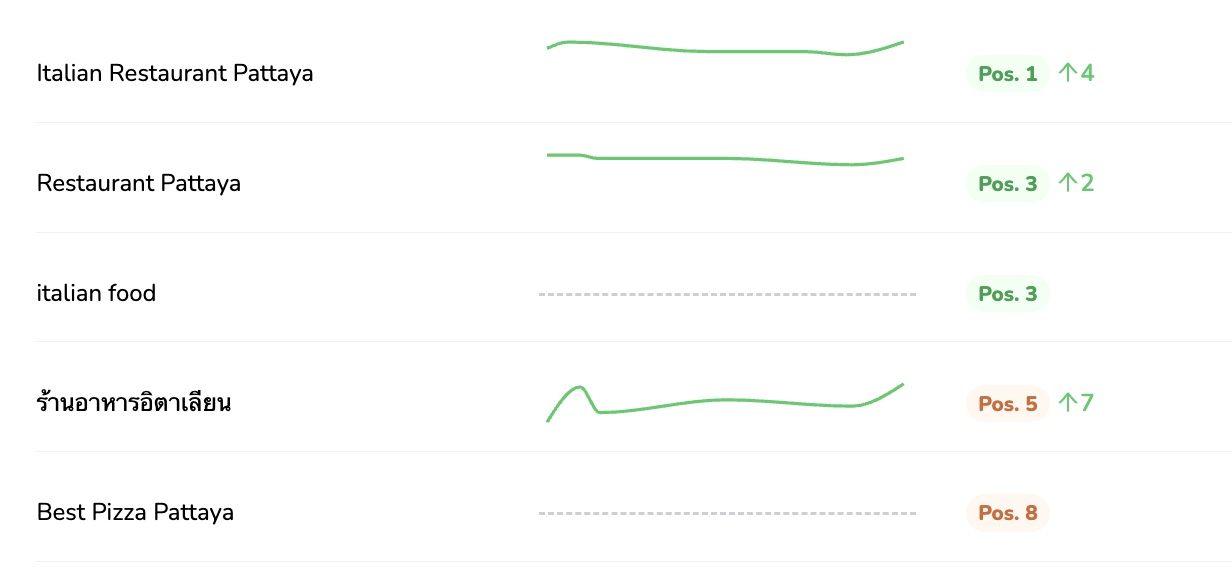
If you’re a business owner who’s been struggling to make your mark in local search, it might be time for your own breakthrough. The [color=var(–ast-global-color-0)][highlight=transparent]Locully Local SEO Rank Checker [/highlight][/color]is free to use and can instantly show you how your business ranks on Google.
[color=var(–ast-global-color-0)][highlight=transparent]Get Your Free Strategy Session[/highlight][/color]
Discover actionable insights and learn how our experts at [color=var(–ast-global-color-0)][highlight=transparent]Locully.org[/highlight][/color] can help you turn red and yellow markers into green ones (Top 5 positions). With a tailored plan, you can boost your visibility, attract more enquiries, calls and customers, and take your business to the next level.