
Introduction
Local search drives many actions. In Thailand, almost half of all Google searches seek local details. People use phones more, and 60% of smartphone users now search for nearby businesses. Your Google My Business profile is a key tool for growth and clear presence. This guide walks you through setting up your Google My Business profile in Thailand. You will learn how to claim your listing and adjust it so that more nearby people see and visit your business.
Why Google My Business Matters for Thai Businesses
The Role of Local SEO
Local SEO fixes your online details to draw nearby visits. It is different from general SEO, which seeks broad keyword ranks. Local SEO works close to home. It brings your business within quick sight. Research shows that 78% of mobile searches lead to buying in just one day. This means that a strong local online spot is needed in Thailand. Also, 84% of people trust online reviews like advice from friends. This makes it wise to keep a clear online record on your GMB profile.
Consumer Behavior and Local Searches
Customers in Thailand work close to home. Many read reviews before they visit, with 67% checking them first. In fact, 92% pick businesses that rank on the first local search page. These facts put customer reviews and a well-kept GMB profile at the center of your business plan.
Setting Up Your Google My Business Profile in Thailand
The setup is simple. Follow these steps to build a full and clear business profile.
Step 1: Create or Claim Your Google My Business Listing
- Visit the Google My Business site: Head to the official Google My Business page.
- Sign in with your Google Account: Create one if you need a new business account.
- Enter your business name: If your business does not show, click "Add your business."
- Choose your business category: This step helps Google see what you do and shifts the right people your way.
Step 2: Provide Accurate Business Information
Give clear, correct details about how your business works:
- Location: Add your address for visits. If you serve a region, show the areas you cover.
- Phone Number: List a number that connects customers to you.
- Website URL: Include your site if you have one.
- Business hours: List when you are open so that people know when to visit.
Step 3: Verification
After filling in your details, Google asks for proof of your business. You may verify with a postcard, by phone, or by email, based on your type.
Step 4: Optimize Your Profile
- Add High-Quality Photos: Photos can boost requests for directions by 42%. Pick images that speak for your business.
- Write a Clear Business Description: Use keywords that mirror what your company does. Keep the text clear and full of facts.
- Encourage Customer Reviews: Ask happy customers to leave reviews. Reviews make customers 31% more likely to visit.

Step 5: Manage and Optimize Your Listing Regularly
- Respond to Reviews: Replying shows that you care and can give you a better image.
- Update Your Information: Keep your hours, services, and news fresh.
- Post Updates: Use the post feature for new news, sales, or events so people stay informed.
Common Local SEO Mistakes to Avoid
A well-built listing is only the start. Watch for these errors in local SEO:
Incomplete Information
Fill out every section. Missing details can cut off chances for contact.
Ignoring Reviews
Not replying to reviews risks a weak connection with customers. Make it a habit to answer reviews.
Overlooking the Value of Visuals
Not adding photos lowers interest. Refresh your pictures so people see the best of your business.
Not Using Posts
Some forget the posts feature. Regular posts on your GMB help track local SEO and keep customers in the loop.
Action Plan: How to Get Started Today
- Claim Your Listing: Follow the steps above to set up or claim your GMB profile.
- Gather Resources: Collect clear photos and write a complete business description.
- Encourage Reviews: Set up a plan to ask customers for their thoughts after visits.
- Schedule Regular Updates: Plan a routine to refresh your profile with posts or photos.
- Monitor Performance: Check the insights from Google to see how customers find you and adjust your tactics.
Conclusion
Your Google My Business profile in Thailand helps you show up in local searches and draw more visits. Follow this guide to set up your profile and avoid easy mistakes. The result is a strong local spot, better search ranks, and more visits to your business.
Need extra help or advice to adjust your GMB profile? Get in touch with professionals. Managing your online presence with care can help your business grow in Thailand’s busy market. Start your local SEO journey today, and see your profile turn views into visits!
Ready to take the next step? Contact Locully for a FREE consultation and let’s boost your local business presence!
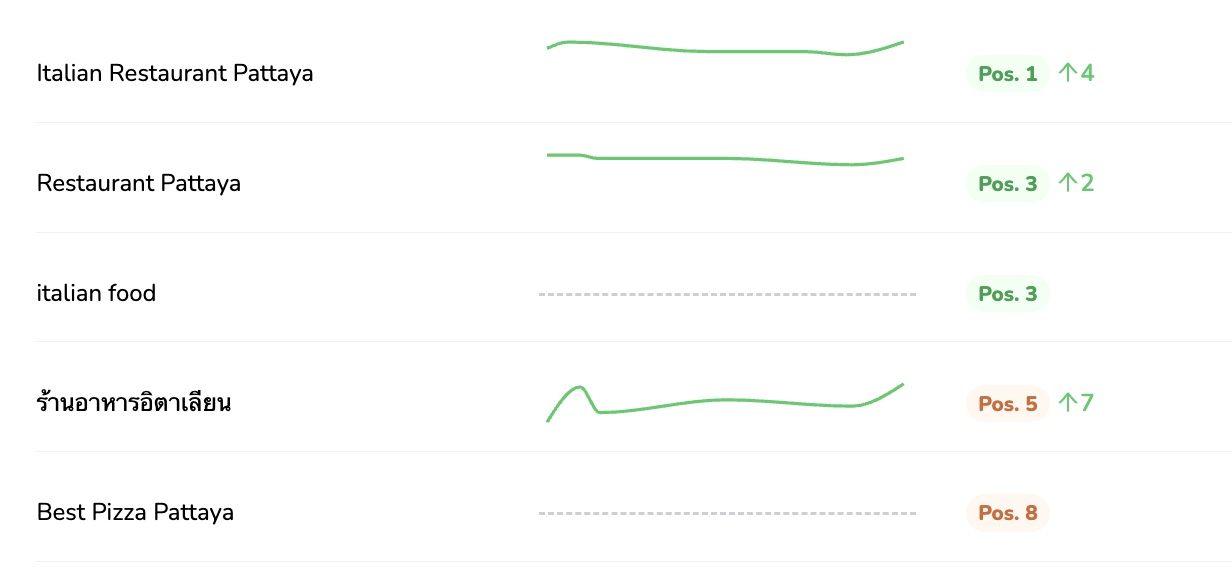
If you’re a business owner who’s been struggling to make your mark in local search, it might be time for your own breakthrough. The [color=var(–ast-global-color-0)][highlight=transparent]Locully Local SEO Rank Checker [/highlight][/color]is free to use and can instantly show you how your business ranks on Google.
[color=var(–ast-global-color-0)][highlight=transparent]Get Your Free Strategy Session[/highlight][/color]
Discover actionable insights and learn how our experts at [color=var(–ast-global-color-0)][highlight=transparent]Locully.org[/highlight][/color] can help you turn red and yellow markers into green ones (Top 5 positions). With a tailored plan, you can boost your visibility, attract more enquiries, calls and customers, and take your business to the next level.